Quick Summary
One Number to Rule Them All Every second of every day, […]
One Number to Rule Them All • The Unix Epoch and UTC: The Starting Line • 10-Digit vs 13-Digit Timestamps
One Number to Rule Them All
Every second of every day, a number grows larger inside billions of devices. That number — right now somewhere past 1,740,000,000 — is the Unix timestamp. It is the single most widely used time standard in computing, and most people have never heard of it.
A Unix timestamp is a straightforward numeric count of the total seconds elapsed since January 1, 1970, at 00:00:00 UTC. No timezone offsets. No daylight saving adjustments. No date format debates. Just an integer that every server, database, and operating system on the planet can agree on.
This guide covers the full picture: where the standard came from, how developers use it across languages, what happens when the counter overflows in 2038, and how to fix it before it breaks your systems.
The Unix Epoch and UTC: The Starting Line
The Unix Epoch — January 1, 1970, 00:00:00 UTC — is ground zero for Unix time. Every timestamp ever generated is simply the running count of seconds since that baseline moment. The choice was pragmatic, not poetic: Unix engineers at Bell Labs in the early 1970s needed a recent, convenient date that fit within the tight memory limits of early hardware, and the start of a new decade was as clean a slate as any.
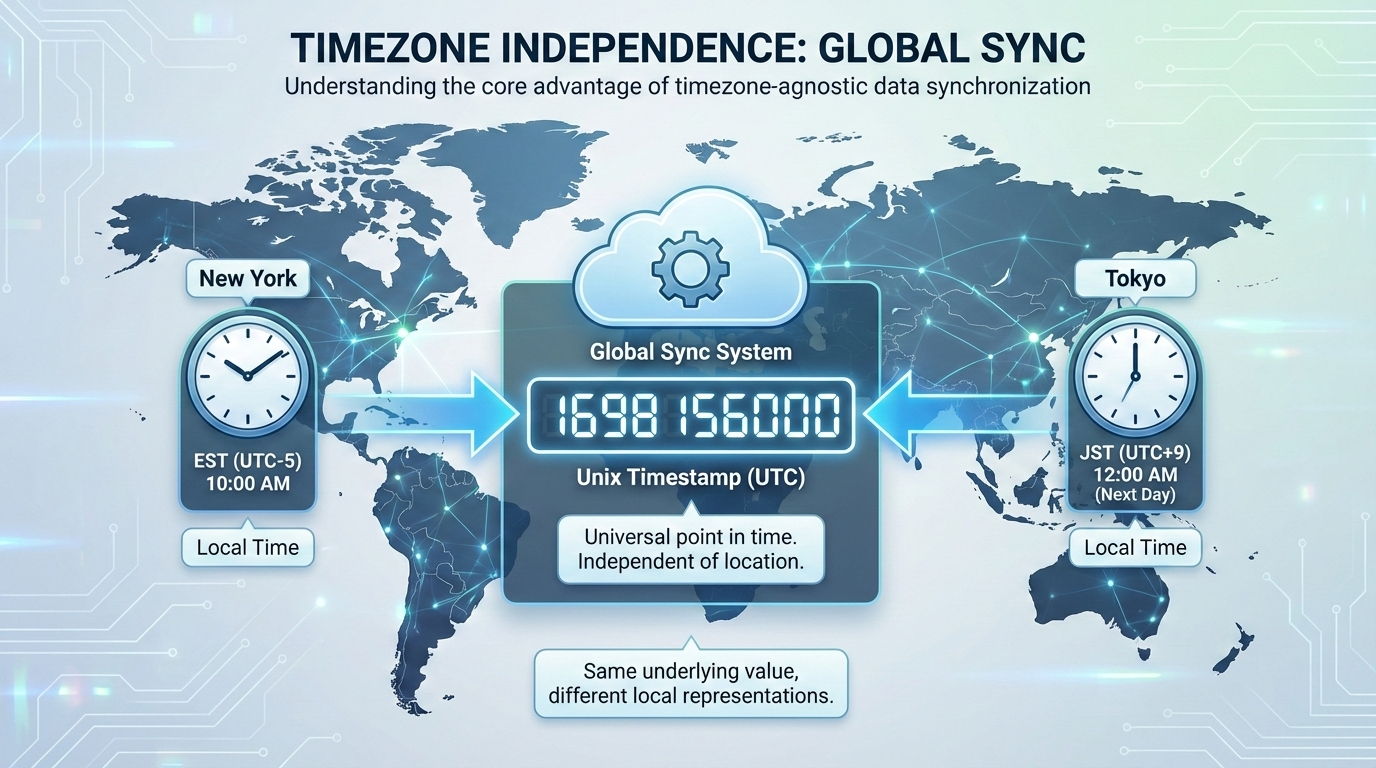
Because Unix time anchors to UTC (Coordinated Universal Time), it sidesteps the entire timezone problem. A server in New York and a server in Tokyo that generate a timestamp at the same physical instant will output the exact same integer. No daylight saving headaches. No regional offset calculations.
Computers also process raw integers dramatically faster than text strings like “October 24, 2026, 10:00 AM EST.” Storing time as a single number speeds up database queries, keeps JSON API payloads lean, and makes arithmetic trivial. When it is time to display a date to a human, the frontend simply applies the local browser’s timezone rules to the raw integer.
10-Digit vs 13-Digit Timestamps
You will encounter Unix timestamps in two common widths:
| Format | Precision | Typical Usage | Example |
|---|---|---|---|
| 10 digits | Seconds | Backend servers, relational databases, Linux/macOS | 1721452800 |
| 13 digits | Milliseconds | JavaScript, modern frontend frameworks | 1721452800000 |
Converting between the two is elementary: multiply a 10-digit value by 1,000 to get milliseconds; divide a 13-digit value by 1,000 to drop back to seconds.
The Non-Developer Cheat Sheet
You do not need a converter to estimate roughly what year a timestamp represents. An average calendar year contains approximately 31,556,926 seconds. Adding 31.5 million to a timestamp shifts it forward by roughly one year. Quick visual reference:
- A timestamp starting with
16points to the early 2020s. - A timestamp starting with
17spans late 2026 through the early 2030s.
Recognizing these leading digits helps data analysts eyeball database rows and spot anomalous date ranges without writing custom conversion scripts.
Using Unix Timestamps Across Programming Languages
Grabbing the current system time and formatting it is a daily task in development. Here is how the major languages handle it.
JavaScript
// 13-digit millisecond timestamp
const ms = Date.now();

// 10-digit second timestamp
const sec = Math.floor(Date.now() / 1000);

// Convert to ISO 8601 string
const iso = new Date().toISOString();
Python
import time
from datetime import datetime

ts = time.time()

# Convert to ISO 8601
iso = datetime.utcfromtimestamp(time.time()).isoformat()
PHP
// 10-digit timestamp
$ts = time();

// Millisecond precision
$ms = microtime(true);

// Format as ISO 8601
$iso = date('c', time());
Database Extraction
| Database | Function | Returns |
|---|---|---|
| MySQL | UNIX_TIMESTAMP() |
10-digit seconds |
| PostgreSQL | EXTRACT(EPOCH FROM NOW()) |
10-digit seconds (float) |
When sending database records to an API, formatting the integers into ISO 8601 ensures mobile apps and third-party integrations can read the dates correctly.
The Year 2038 Problem: A Countdown Already Underway
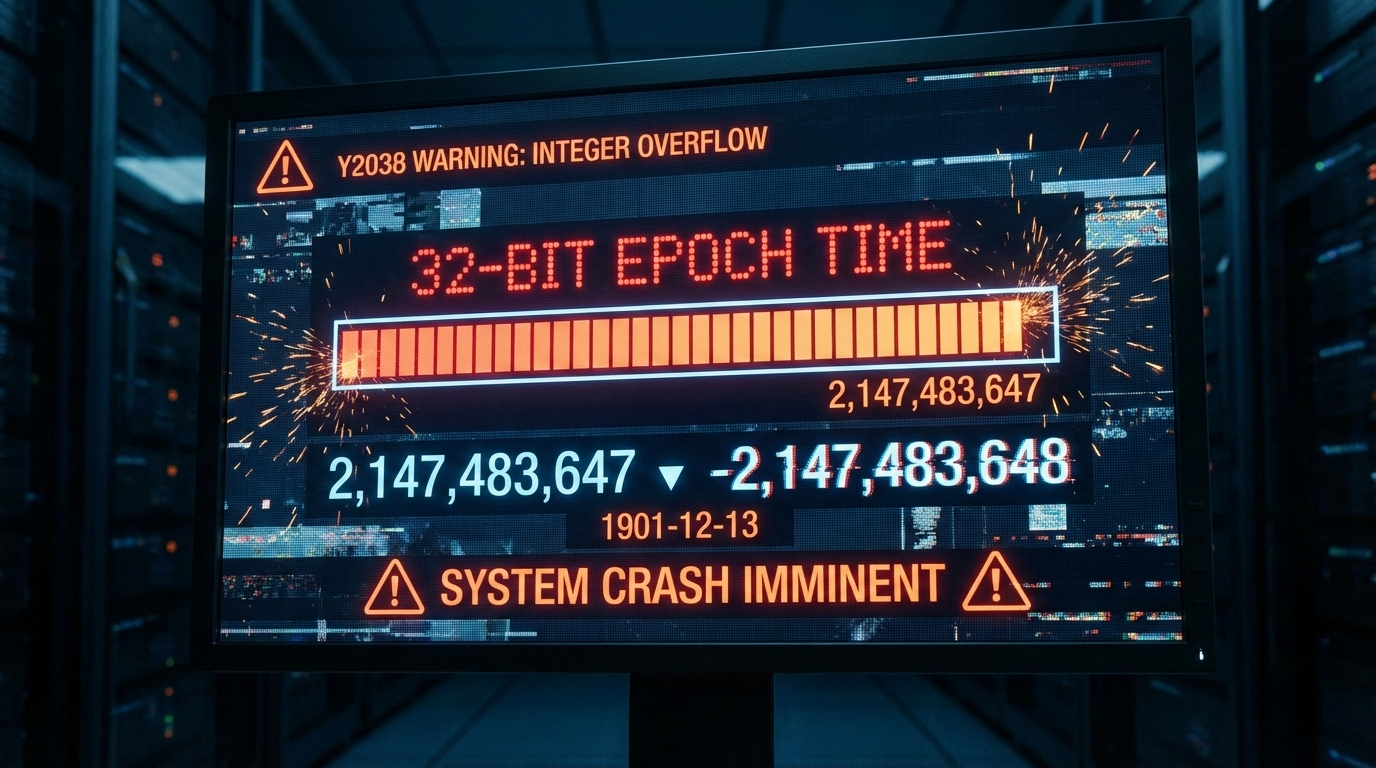
The Year 2038 Problem (Y2038) is not a hypothetical scenario — it is a confirmed, date-certain event. Systems that store time as a 32-bit signed integer will hit their ceiling at exactly 2,147,483,647.
When the global timestamp reaches that number on January 19, 2038, at 03:14:08 UTC, it will not roll over gracefully. The integer will overflow and flip to -2,147,483,648, which computers will interpret as December 13, 1901.
Legacy applications, older servers, and embedded IoT hardware still running 32-bit time will face logic failures, corrupted databases, and total crashes. This is not speculation — it is arithmetic.
Future-Proofing: The 64-Bit Migration
The fix is straightforward in principle: migrate to 64-bit integers. A 64-bit signed timestamp pushes the next overflow out by approximately 292 billion years — a problem for another era, literally.
Concrete steps for database administrators:
| Action | Detail |
|---|---|
| Audit columns | Find any INT or INTEGER columns storing time values |
Migrate to BIGINT |
This gives you 64-bit capacity immediately |
| Check application code | Ensure backend variables can handle the larger 64-bit values without truncation |
| Test thoroughly | Verify that downstream APIs and client libraries parse the expanded values correctly |
Leap Seconds: The Glitch Unix Time Pretends Does Not Exist
Standard Unix time assumes every day has exactly 86,400 seconds. It completely ignores leap seconds — the occasional extra second added to global clocks to keep atomic time aligned with Earth’s rotation.
When a leap second is inserted, a Unix timestamp handles it by repeating the 86,400th second twice. This creates a dangerous ambiguity for distributed systems that depend on strict chronological ordering. Financial databases can crash. Transaction tokens can scramble.
The industry workaround is Leap Smearing. Instead of repeating a specific second, servers spread the extra time across a 24-hour window by stretching each individual second by a tiny fraction. Google, Amazon, and Meta all use this technique in their cloud platforms. The system clock never repeats a value, and downstream systems remain consistent.
FAQ
What is the difference between Unix time and Epoch time?
There is no practical difference — developers use the terms interchangeably. Technically, “Epoch time” refers to the starting baseline (January 1, 1970), while “Unix time” refers to the ongoing count of seconds since that moment.
Why do some Unix timestamps have 10 digits while others have 13 digits?
A 10-digit timestamp counts standard seconds — the default for backend servers and databases. A 13-digit timestamp counts milliseconds, used by JavaScript and modern frontend frameworks for higher-precision event tracking.
How does Unix time handle leap seconds?
It essentially ignores them. Unix time assumes every day has 86,400 seconds. When a leap second occurs, the standard timestamp repeats the final second. Large enterprise systems use “leap smearing” to gradually absorb the extra time across a full day, avoiding the repeated-second problem.
Why did the Unix epoch start specifically on January 1, 1970?
It was a pragmatic choice. Unix engineers in the early 1970s needed a recent, convenient date to start counting system time. January 1, 1970 offered a clean decade boundary that fit neatly into the tight memory limits of early computers.
Can a Unix timestamp be a negative number?
Yes. Negative timestamps represent dates before the Epoch — prior to January 1, 1970 at 00:00:00 UTC. The system counts backward, letting software track historical dates using the exact same integer logic.
Conclusion
The Unix timestamp is the backbone of timezone-independent timekeeping — a single integer that has been counting seconds since 1970 and shows no signs of stopping. It makes database storage cleaner, processing faster, and cross-platform communication more reliable than any date string format ever could.
The one certainty: if you are running legacy systems with 32-bit time storage, the clock is already ticking. Audit your database schemas and application code now. Migrating to 64-bit integers is straightforward, and doing it before 2038 is far cheaper than cleaning up after a cascade of failures.