Quick Summary
The Clock That Launched a Million Clicks When NASA roll […]
The Clock That Launched a Million Clicks • Why Countdown Timers Are Psychological Accelerators • Countdowns for Event Planning: From Weddings to Product Launches
The Clock That Launched a Million Clicks
When NASA rolls a rocket to the launch pad, the first thing they activate is not the engine — it is the countdown clock. That massive outdoor display at Kennedy Space Center has been ticking backward before every major mission since Apollo. It does not exist because engineers need to know the time. It exists because watching seconds disappear creates focus.
The same psychology powers every free online countdown timer on the internet today. A countdown turns an abstract future date into a visceral, ticking reality. It transforms “sometime next month” into “14 days, 7 hours, 23 minutes” — and that specificity changes behavior.
Data from TickCounter shows that custom countdowns generate 200-500 social shares per day as people share upcoming milestones with their networks. The timer is not just a clock. It is a sharing magnet.
Why Countdown Timers Are Psychological Accelerators
The human brain responds differently to counting down than to counting up. A stopwatch measures elapsed time passively. A countdown creates urgency, expectation, and a focal point for attention. This is not anecdotal — it is grounded in behavioral psychology:
- Scarcity effect: A shrinking number signal limited availability, triggering action
- Goal gradient effect: As the target approaches, motivation intensifies
- Shared attention: A visible countdown synchronizes everyone looking at it
This is why countdowns appear everywhere from product launches to wedding websites to political campaigns. The Trump Term Countdown became a viral social media fixture, demonstrating how a simple clock could sustain public engagement over years.
Countdowns for Event Planning: From Weddings to Product Launches
For major life events — weddings, vacations, birthdays, graduations — a visual countdown serves as a daily reminder and a communal touchpoint. Friends and family can visit the same URL and watch the same number tick down.
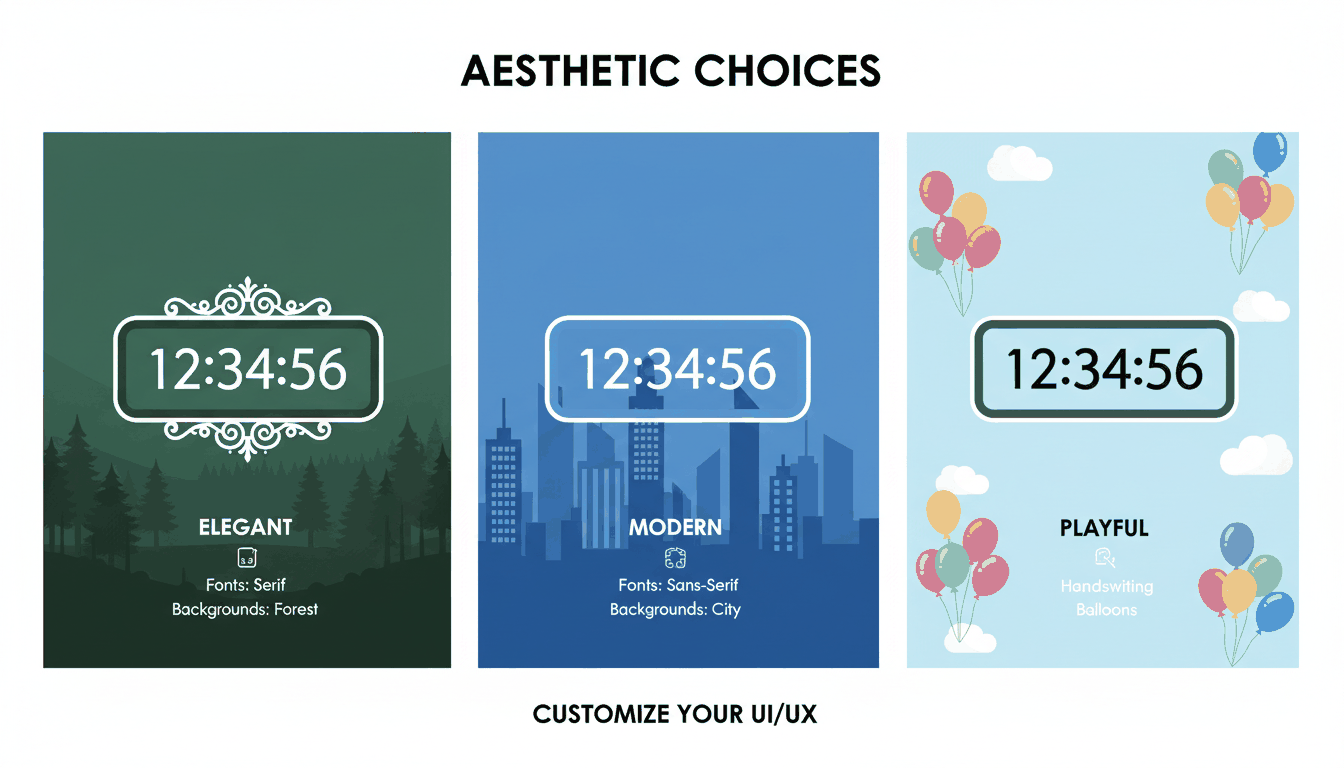
Modern tools like Time and Date and TickCounter let you customize every element:
| Customization | Options |
|---|---|
| Fonts | Serif, Sans Serif, Handwriting, Monospace |
| Backgrounds | Night City, Balloons, Forest Lake, Solid Colors |
| Display units | Days only, Days + Hours, or full Days/Hours/Minutes/Seconds |
| Sharing | Direct URL, social media embed, or iframe for websites |
The visual identity of the timer can match the tone of the event — playful for a child’s birthday, elegant for a wedding, urgent for a product launch.
Productivity Power: Time-Boxing With Countdown Timers
Countdown timers are not only for anticipating the future. They are among the most effective tools for structuring focused work in the present.
The Pomodoro Technique
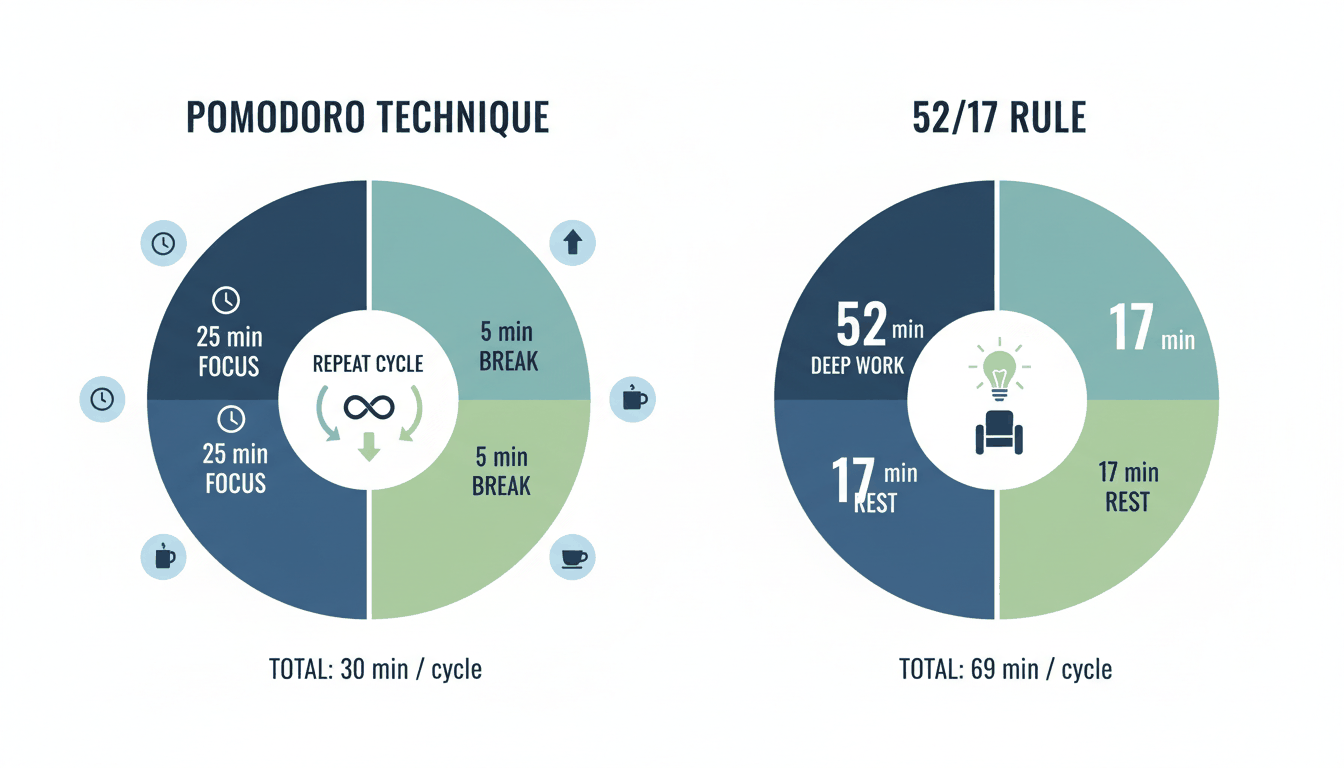
The Pomodoro Method uses a 25-minute countdown for intense focus, followed by a 5-minute break. After four cycles, take a longer 15-30 minute break. The countdown creates a contained “sprint” that is psychologically easier to commit to than an open-ended work session.
The 52/17 Rule
Research from the productivity app DeskTime identified a pattern among the most productive workers: 52 minutes of focused work followed by 17 minutes of complete rest. Both intervals are countdown-driven. The hard stop prevents the “just five more minutes” trap that erodes breaks.
Workday-Only Counting
Apps like Countdown by Find Appiness offer “workday-only” mode — excluding weekends and holidays from the countdown. For project managers and freelancers, this creates a realistic picture of how many actual working days remain, not calendar days.
Sensory Timers: Countdowns Without the Pressure
Not everyone responds well to descending numbers. For people with anxiety, ADHD, or sensory sensitivities, a traditional countdown display can trigger stress rather than focus.
Sensory Timers offer an alternative: relaxing visual animations instead of digits. Available on platforms like Online-Stopwatch, these timers use flowing patterns, color changes, or gentle motion to represent elapsed time without the pressure of a shrinking number.
They are particularly effective in therapeutic settings, special education, and for anyone who needs time awareness without time anxiety.
Classroom Timers: Gamification for Learning
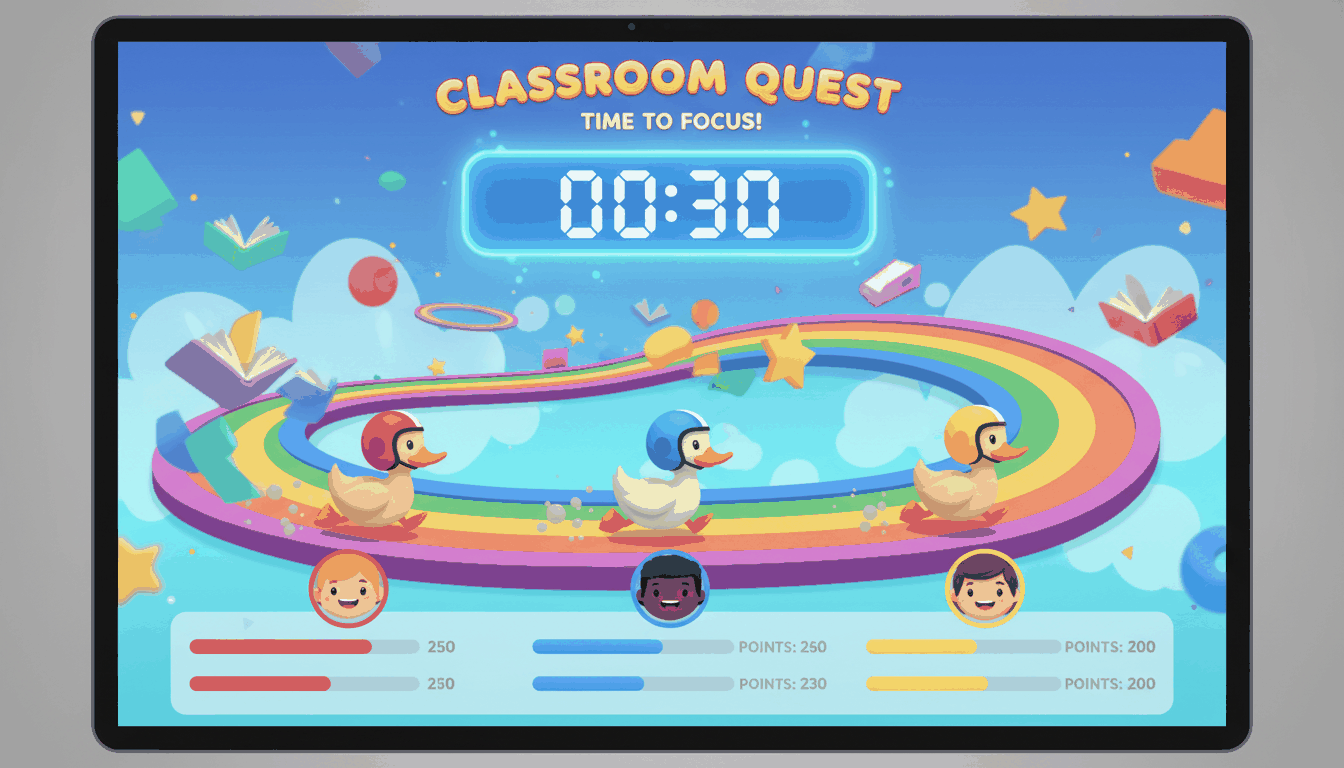
In educational settings, countdown timers serve a dual purpose: managing transitions and engaging students. “Race Timers” — where a spaceship, robot, or duck advances as time passes — turn routine activities into games. The timer becomes a competition, and the “winner” appears only when time runs out.
Sound selection matters in classrooms. Tools like vClock and TimeMe offer alarm options ranging from a “School Bell” to gentle “Chimes.” The right tone signals the end of an activity without startling students or disrupting the room’s atmosphere.
Technical Integration: Embedding Countdowns Anywhere
For businesses, bloggers, and event organizers, a countdown timer is a technical asset that can be embedded directly into websites, emails, and e-commerce platforms.
Embeddable Widgets
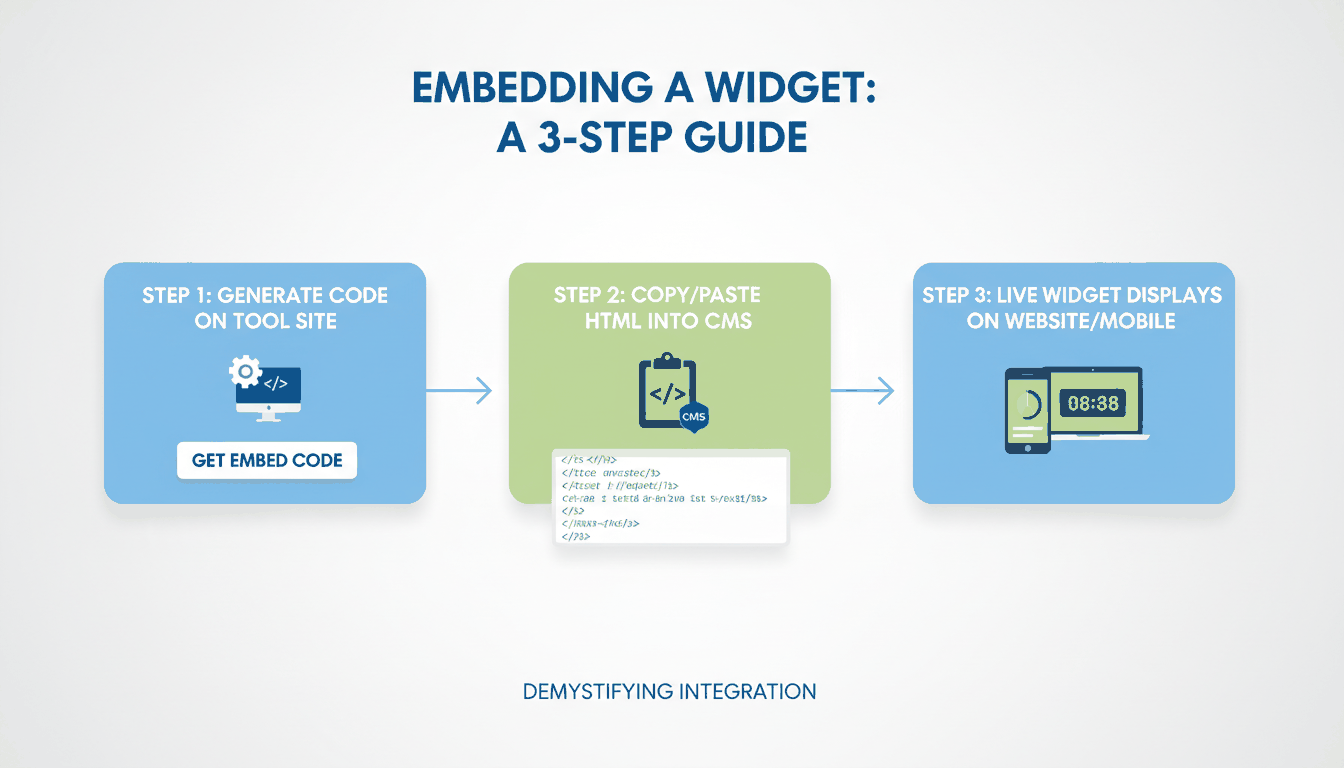
Copy a simple iframe snippet from providers like TickCounter or CountingDownTo and paste it into WordPress, Shopify, Wix, or any HTML-compatible platform. The widget runs over HTTPS for security.
Timezone Synchronization
For global events, timezone accuracy is critical. High-quality timers from Time and Date use UTC-based synchronization and automatically adjust for Daylight Saving Time. A product launch at 9 AM in New York, 2 PM in London, and 10 PM in Tokyo stays synchronized across all three.
Mobile Widgets
With iOS 14 and Android widgets, countdowns live directly on your home screen or lock screen. Apps like Countdown – Day Counter offer StandBy mode and Apple Watch complications, keeping your most important deadlines always visible.
Accessibility
Modern tools are becoming more inclusive: Dark Mode reduces eye strain, and VoiceOver support ensures usability for visually impaired users. Developers like Find Appiness LLC have updated their apps with sufficient contrast and larger text options.
FAQ
How do I embed a countdown timer on my website or in an email?
Copy the iframe or HTML snippet provided by tools like TickCounter or CountingDownTo. Paste it into your CMS HTML block or email editor. Set the widget to “Responsive” so it adapts to both desktop and mobile screens.
Can I set a countdown to repeat for recurring events?
Yes. Tools like vClock and TimeMe offer “Loop” or “Repeat” features. Set the timer to recur every 7 days at a specific time, then bookmark the URL for instant weekly access.
Do online countdown timers adjust for Daylight Saving Time?
Reliable timers use UTC-based synchronization and automatically adjust for DST. Always verify the “Location of event” setting when creating a timer for a global audience.
What is the difference between a countdown timer and a stopwatch?
A countdown timer decrements from a set duration toward zero — ideal for deadlines and events. A stopwatch increments from zero, measuring elapsed time — ideal for tracking how long something takes. Both have distinct use cases.
Can I use a countdown timer for meditation or mindfulness?
Absolutely. Set a countdown for your desired session length (5, 10, 20 minutes) and choose a gentle alarm sound. Some tools offer ambient background options specifically designed for meditation timing.