Quick Summary
The 23-Hour Day That Broke Production In March 2018, a […]
The 23-Hour Day That Broke Production • Why the Unix Epoch Is Your Safety Net • Database Timestamp Math: MySQL vs PostgreSQL
The 23-Hour Day That Broke Production
In March 2018, a European fintech company noticed something strange: their nightly reconciliation job had shortchanged every transaction by exactly one hour. Customers were seeing incorrect balances. The culprit was not a hacker or a bug in the business logic. It was Daylight Saving Time. The spring-forward transition had created a 23-hour day, and the developers had subtracted raw local timestamps across the boundary without accounting for the missing hour.
This kind of bug is shockingly common. Anytime you subtract two timestamps expressed in local time, you are trusting that every day contains exactly 24 hours. It does not. DST transitions create days of 23 or 25 hours. The fix is always the same: convert everything to UTC first, then do the math.
To perform a timestamp difference calculation correctly, use environment-specific functions. For SQL databases, use TIMESTAMPDIFF() (MySQL) or EXTRACT(EPOCH FROM ...) (PostgreSQL). In JavaScript, subtract two Date objects. Always align your timestamps to UTC before running the arithmetic.
Why the Unix Epoch Is Your Safety Net
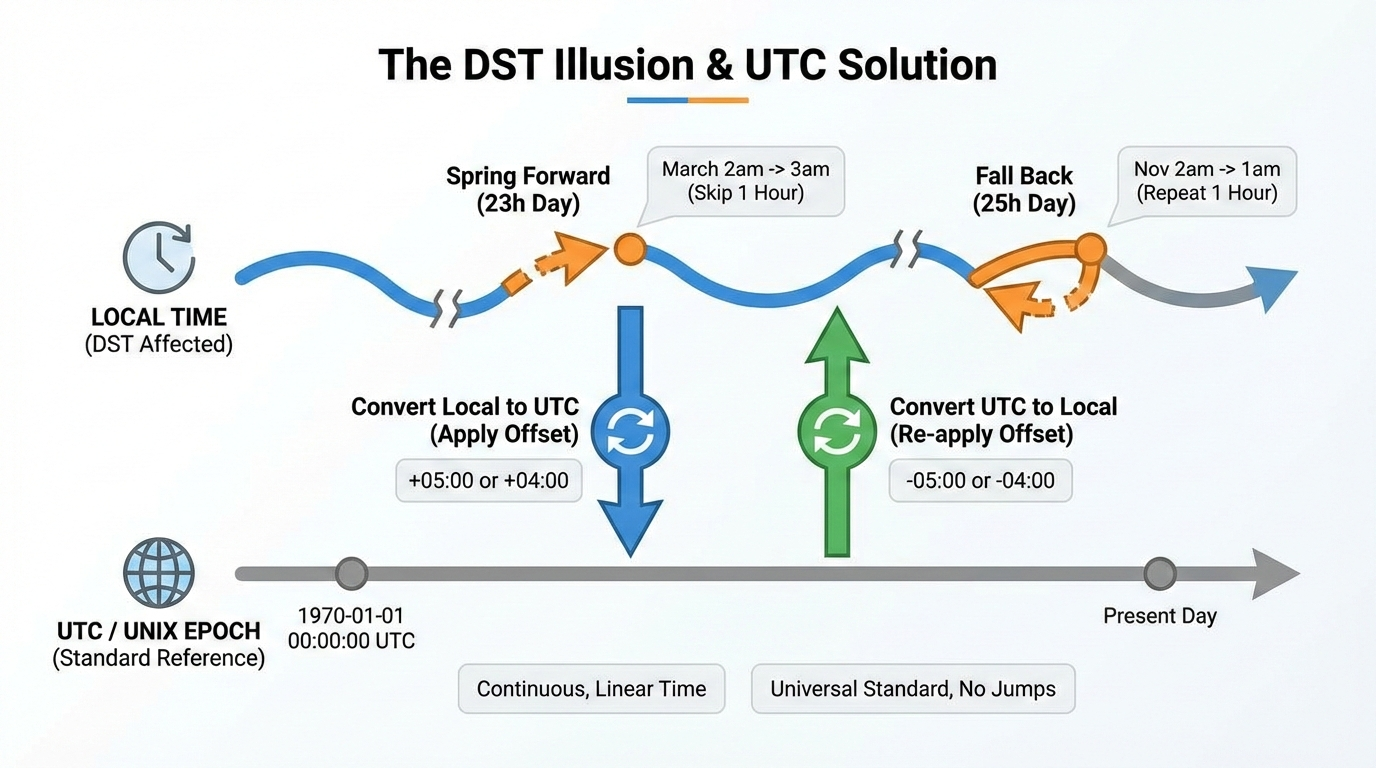
Relying on local timezones for subtraction is a recipe for bad data. The Unix Epoch — January 1, 1970, 00:00:00 UTC — provides a clean escape. A Unix timestamp counts exact seconds since that moment, ignoring geography and DST entirely. When you normalize local times to UTC seconds first, every day has exactly 86,400 seconds, and your app becomes immune to timezone quirks.
The rule is simple: store in UTC, calculate in UTC, convert to local only at the display layer.
Database Timestamp Math: MySQL vs PostgreSQL
Running calculations directly inside your SQL query is dramatically faster than pulling raw timestamps into application code and processing them later. Database engines handle date math natively and can use indexes to speed things up. But MySQL and PostgreSQL take entirely different approaches.
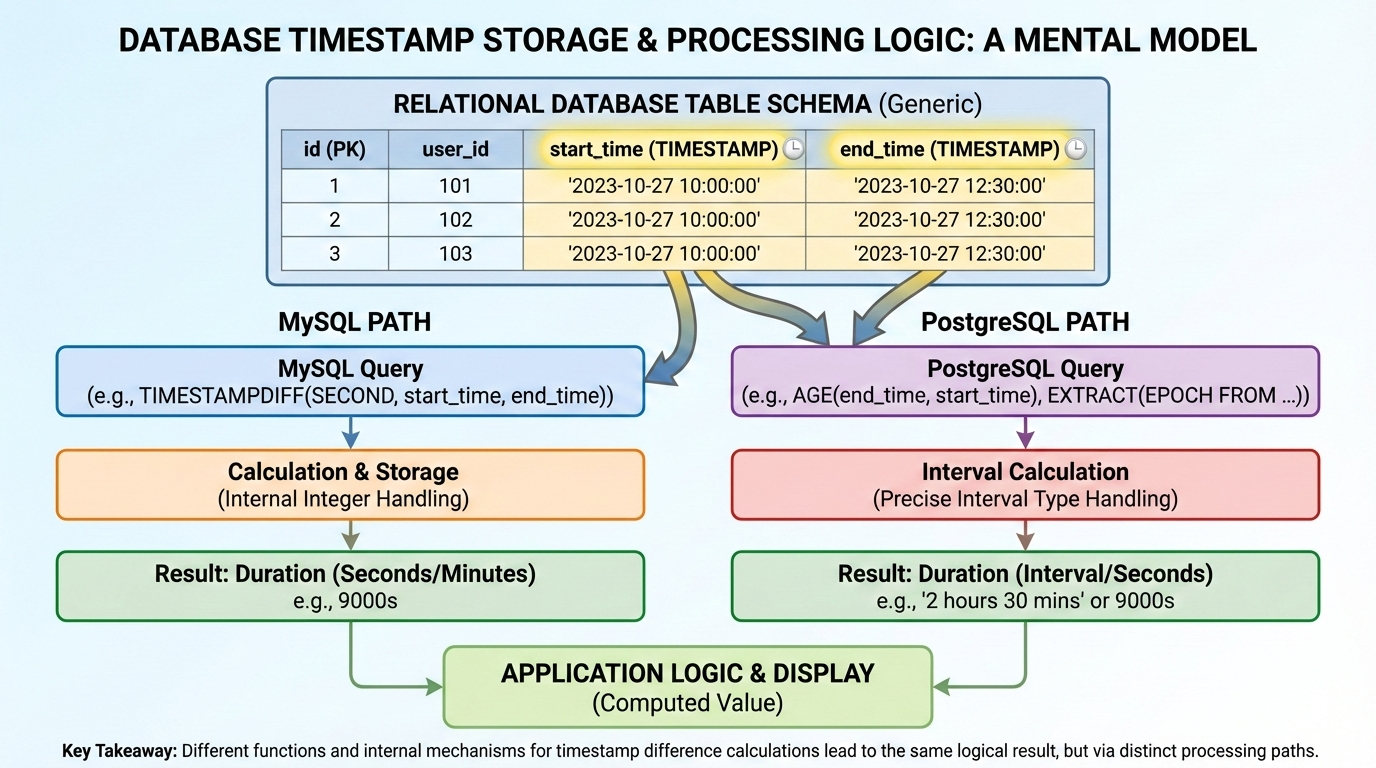
MySQL: TIMESTAMPDIFF and UNIX_TIMESTAMP
TIMESTAMPDIFF() is the primary tool. Pass it three arguments: the desired unit (SECOND, MINUTE, HOUR, DAY), the start timestamp, and the end timestamp.
-- Difference in hours between two timestamps
SELECT TIMESTAMPDIFF(HOUR, '2026-01-01 08:00:00', '2026-01-03 14:30:00');
-- Result: 54
For raw seconds, UNIX_TIMESTAMP() converts a date column to epoch seconds, enabling simple subtraction:
SELECT UNIX_TIMESTAMP(end_date) - UNIX_TIMESTAMP(start_date) AS diff_seconds
FROM events;
This approach works well when exporting data to external applications that expect standard integers rather than formatted date strings.
PostgreSQL: EXTRACT EPOCH and AGE
PostgreSQL offers AGE(), which produces human-readable intervals like “1 mon 15 days” — great for dashboards but painful to parse programmatically. For strict arithmetic, use EXTRACT(EPOCH FROM ...):
-- Difference in raw seconds
SELECT EXTRACT(EPOCH FROM (end_ts - start_ts)) AS diff_seconds
FROM events;
For practical use cases like flagging overdue equipment:
SELECT * FROM rentals
WHERE EXTRACT(DAY FROM AGE(NOW(), rental_date)) > 90;
This keeps the filtering logic at the database level, avoiding heavy backend processing.
Cross-Platform Syntax Matrix
| Platform | Function | Returns | Best For |
|---|---|---|---|
| MySQL | TIMESTAMPDIFF(unit, start, end) |
Integer in specified unit | Business logic queries |
| MySQL | UNIX_TIMESTAMP(date) |
Epoch seconds | Exporting integers |
| PostgreSQL | EXTRACT(EPOCH FROM (a - b)) |
Float seconds | Precise math |
| PostgreSQL | AGE(end, start) |
Interval string | Human-readable display |
| JavaScript | dateB - dateA |
Milliseconds | Frontend timers |
| PHP | strtotime(b) - strtotime(a) |
Seconds | Backend calculations |
| Go | time.Sub() |
Duration object | Typed access via .Hours() |
JavaScript and Node.js: Milliseconds to Meaningful Units
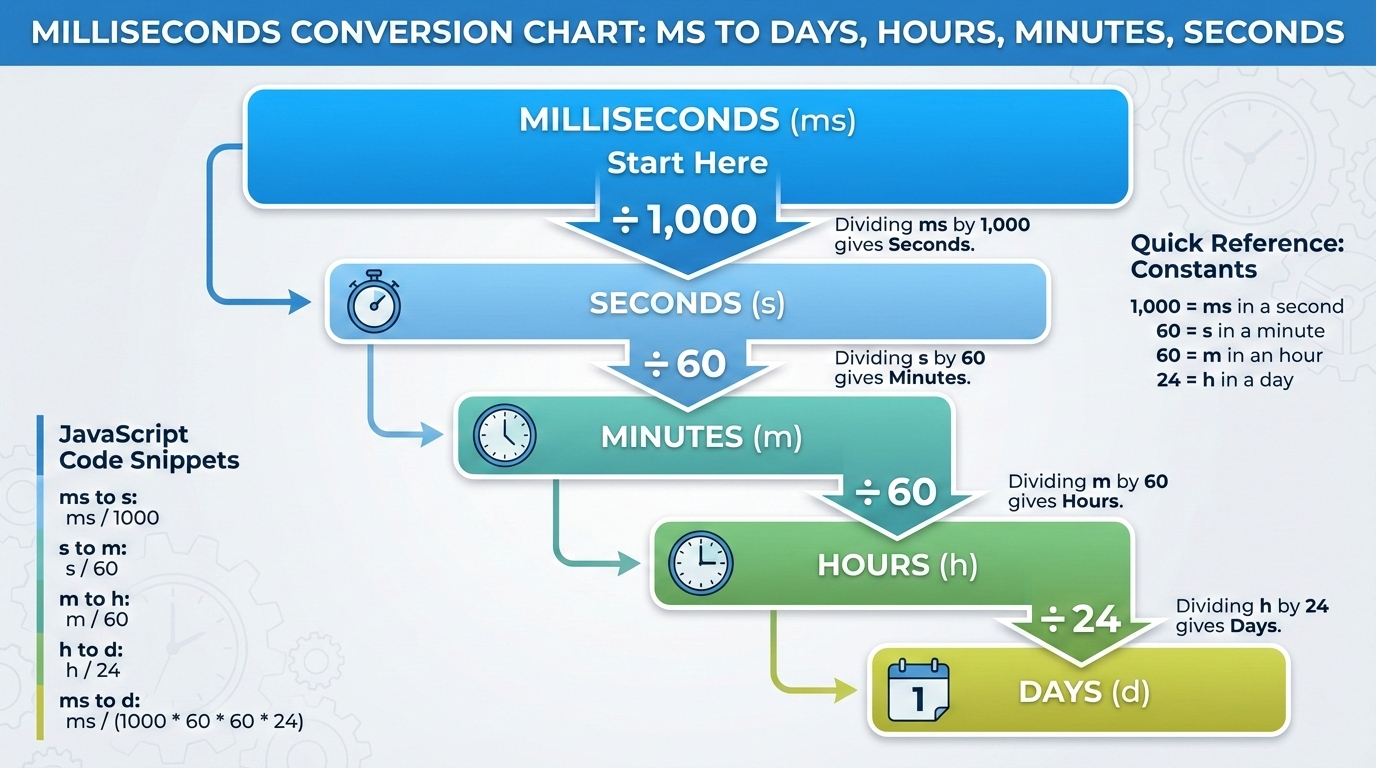
When you subtract two Date objects in JavaScript, the result is raw milliseconds. JavaScript has no built-in duration formatter, so you divide manually:
| Target Unit | Division Factor | Result |
|---|---|---|
| Seconds | diff / 1000 |
e.g., 5400 |
| Minutes | diff / 60000 |
e.g., 90 |
| Hours | diff / 3600000 |
e.g., 1.5 |
| Days | diff / 86400000 |
e.g., 0.0625 |
Always wrap results in Math.floor() to prevent floating-point decimals from corrupting your UI:
const start = new Date('2026-01-01T08:00:00Z');
const end   = new Date('2026-01-03T14:30:00Z');
const diffMs = end - start;

const hours = Math.floor(diffMs / 3600000);       // 54
const minutes = Math.floor((diffMs % 3600000) / 60000);  // 30
Other languages simplify this. PHP’s strtotime() returns seconds directly. Go’s time.Sub() returns a typed Duration object with .Hours(), .Minutes(), and .Seconds() methods.
FAQ
How do you calculate the difference between two timestamps excluding weekends?
Simple subtraction cannot do this. You need to generate an array of dates between the two timestamps and filter out Saturdays and Sundays in your application code. In enterprise environments, developers rely on tools like SAP ABAP factory calendars to automatically exclude non-working days. Libraries such as moment-business-days (JavaScript) and business-duration (Python) also handle this.
What happens if I subtract a future timestamp from a past timestamp?
You get a negative integer. Wrap your calculation in an absolute value function (Math.abs() in JavaScript, ABS() in SQL). This forces the result positive, keeping countdown timers and interval tracking systems intact regardless of input order.
How do I handle timestamps that fall before the 1970 Unix Epoch?
Standard Unix timestamp conversions often fail for pre-1970 dates. As Stack Overflow expert OderWat notes, relying on functions like UNIX_TIMESTAMP() for older dates can break your code. It is safer to use direct date-diff functions like TIMESTAMPDIFF() that naturally support broader historical ranges without depending on epoch conversion.
Why does my timestamp calculation return an inaccurate number of days when crossing timezones?
Local timezones are subject to Daylight Saving Time shifts, which change the total hours in a day to 23 or 25 instead of 24. Always convert both timestamps to UTC before doing the math. This guarantees a uniform 24-hour day and prevents DST from corrupting your data.
Conclusion
Getting timestamp math right comes down to two principles: use the correct native function for your platform and always respect UTC. Ignoring the Unix Epoch or DST will eventually break your logic — usually in production, usually at 2 AM on a Sunday morning when the clocks change.
Keep the Cross-Platform Syntax Matrix bookmarked for quick reference, and always test your timezone conversions with an interactive calculator before pushing code to production.